


How DailyPay Works:
- As you work, you build up available earnings.
- DailyPay is connected to Mauser’s timekeeping system and receives automated reports of your hours worked.
- Your available earnings are an approximation of earnings based on the hours you have worked minus withholdings (taxes, garnishments, etc.). It does not include any overtime, bonuses, reimbursements, differentials, and commissions.
- You may access any amount of your available earnings prior to payday.
- On payday, you will receive your paycheck amount minus any early transfers and fees.
Benefits of DailyPay:
- Access earned wages prior to Mauser’s scheduled pay date.
- Receive notifications as your pay balance goes up, in real-time, based on the hours you work.
- Know your pay every day and better plan your life.
- Access your full monthly credit report for free with no impact to your credit.
- Automatically split your direct deposit into two separate bank accounts, or manually set aside funds for specific purposes.
- Additional financial support resources including financial coaching, credit monitoring, and savings tools.
How to Sign Up:
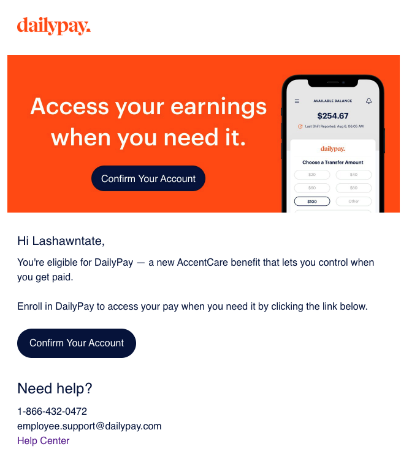
On September 8, eligible employees with Mauser email addresses will receive a direct email from Daily Pay with your unique and secure sign-up link. This email will guide you through the simple process of activating your account. These emails are legitimate and are part of our official rollout of this new benefit. They will come from support@dailypay.com. You can trust emails from DailyPay and can unsubscribe at any time.
Employees without a Mauser email address can use the generic enrollment link that will be posted in facilities.
DailyPay Support:
Additional resources and information is available in the DailyPay section of the Payroll SharePoint Hub. (Note: Mauser network credentials required to access this site. Employees without network access may request a copy from their local HR.)
If you have trouble signing up or need support, DailyPay's team is available 24/7 to help:
- Phone: 866-432-0472
- Email: support@dailypay.com
- Live Messaging: Available in the Help Center: https://help.dailypay.com/hc/en-us
View DailyPay FAQ videos for more information.